Businesses often need to move files between computers, laptops, and other connected devices. Large documents, videos, project files, and media can take time to transfer through traditional methods. Local Network File Transfer provides a simple way to move files between devices connected to the same network. This approach can be useful for offices, teams, and work environments where employees regularly exchange digital information. With a suitable file transfer solution, businesses can reduce unnecessary steps and make everyday file sharing more convenient.
What Is Local Network File Transfer?
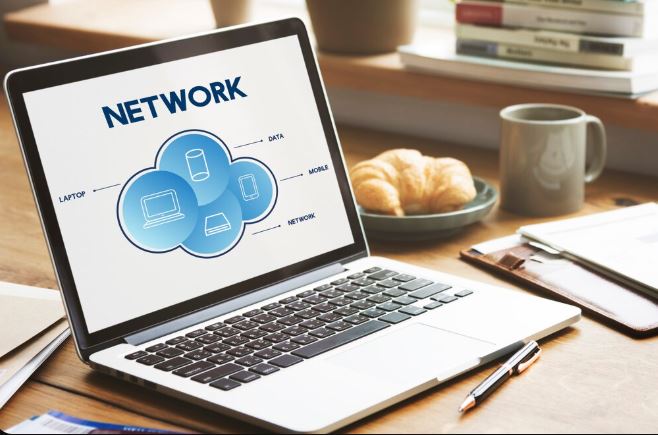
Local Network File Transfer allows users to send files between devices connected to the same local network. Instead of uploading files to an external server first, the devices can communicate through the local network. This can make file movement more direct and convenient in suitable environments. Businesses can use this approach to transfer documents, images, videos, software files, and other digital resources between authorized devices. The actual transfer speed depends on factors such as network quality, device performance, and file size.
Why Businesses Use Local File Transfers
Employees may frequently need to move files between office computers or shared devices. Using USB drives or sending files through email can become inconvenient, especially when files are large. Local Network File Transfer provides another option for moving files between connected systems. It can reduce the need for external storage devices and avoid unnecessary uploads. This can make routine file movement easier for teams that work within the same network environment.
Faster Transfer for Large Files
Large files can create problems when shared through email or other limited transfer methods. High-resolution videos, design files, project folders, and software packages may require considerable transfer time. A local network can provide a direct path between connected devices, which may support faster transfers depending on the available network speed. Local Network File Transfer can therefore be useful when employees need to move large files within an office or controlled environment.
Supporting Office Collaboration
Teams often work together on projects that involve multiple files. Designers may need to share creative assets, developers may exchange project files, and administrative teams may move reports or documents between computers. A local transfer solution can simplify these everyday tasks. Employees can share files between connected devices without relying on external file-sharing services for every transfer. This can support smoother collaboration while keeping routine file movement within the local network.
Reducing Dependence on External Services
Cloud storage and online file-sharing platforms can be useful for many business situations. However, not every file transfer requires an external service. When devices are located on the same trusted network, local transfer can be a practical alternative. Local Network File Transfer allows businesses to move files directly between connected devices in suitable situations. This can reduce unnecessary uploads and downloads while making internal file movement more straightforward.
Considering Security and Access
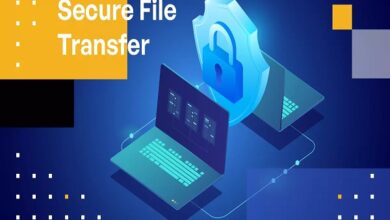
Security remains important even when files are transferred locally. Businesses should ensure that only authorized users can access shared devices and transfer files. Network permissions, user authentication, device security, and proper access controls can help protect business information. Fyle Transfer focuses on making file transfer easier for businesses and can be considered when organizations need practical file-sharing solutions. Businesses should always select transfer methods based on their security requirements and the type of information being shared.
Local Transfers for Remote and Office Environments
Local file transfers are most useful when devices can communicate through the same network. This makes them particularly suitable for offices, labs, studios, and other controlled environments. Remote employees working on separate networks may need cloud-based or internet-based solutions instead. Understanding the working environment can help businesses choose the right transfer method for each situation. A combination of local and online transfer options can sometimes provide greater flexibility.
Choosing the Right File Transfer Solution
Businesses should consider file sizes, transfer frequency, network speed, security requirements, device compatibility, and ease of use before choosing a file transfer method. The solution should fit the way employees already work. A complicated process can reduce productivity even when the underlying technology is effective. Local Network File Transfer can be a useful option when businesses need simple and direct file movement between connected devices. For transfers outside the local network, businesses may require a different solution.
Local Network File Transfer for Everyday Work
Moving files between connected devices is a common business requirement. A suitable local transfer method can help employees share documents, media, project files, and other resources without unnecessary steps. It can also reduce dependence on removable storage devices for routine transfers. When used with proper security controls, Local Network File Transfer can support efficient internal workflows. Businesses can select local or online transfer methods depending on the location of users and the type of files involved.
Frequently Asked Questions
What is Local Network File Transfer?
Local Network File Transfer is a method of moving files between devices connected to the same local network. It allows users to transfer files without necessarily using an external cloud service.
Is local file transfer faster than email?
It can be faster for large files when devices have a strong local network connection. However, speed depends on network performance, device capabilities, and file size.
Can businesses transfer large files locally?
Yes, local networks can be useful for transferring large files between connected devices. The practical transfer speed depends on the network and devices involved.
Is Local Network File Transfer secure?
It can be secure when businesses use trusted networks, proper access controls, authentication, and secure devices. Security practices should match the sensitivity of the files.
Can local file transfer work between different devices?
Yes, depending on the transfer solution and network setup, files can be moved between compatible computers and other connected devices.
Conclusion
Businesses need simple and reliable ways to move digital files between employees and devices. Local Network File Transfer can provide a direct method for sharing files within a connected network, making it useful for offices and other controlled environments. It can help reduce unnecessary uploads, support large file transfers, and simplify everyday collaboration. Fyle Transfer provides file transfer solutions for business requirements and can help organizations explore practical ways to manage digital file sharing. By considering network conditions, security, file sizes, and user requirements, businesses can choose a transfer approach that supports smoother daily operations.