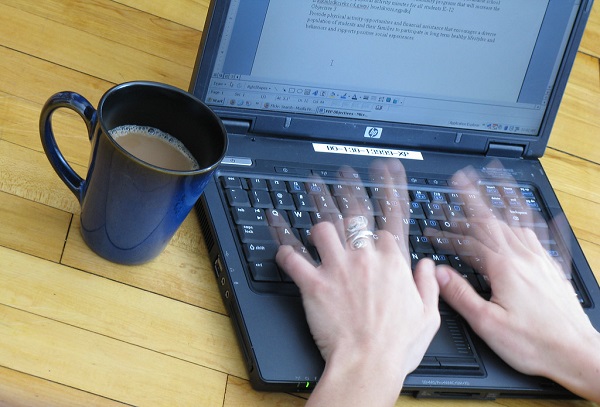
Typing has become an important part of modern communication, education, and professional work. People use keyboards to prepare documents, exchange messages, complete assignments, and manage information. Developing Fast Finger Typing abilities can make these activities more convenient while reducing the effort required to enter text. However, improvement does not happen through speed alone. Proper finger placement, concentration, and repeated practice also influence performance. FastFingers provides an accessible approach for learners who want to strengthen their keyboard abilities and become more comfortable with everyday computer tasks.
Develop a Natural Connection With Your Keyboard
Learning the keyboard layout is an important starting point for beginners. Each finger handles a particular group of keys, allowing both hands to work together efficiently. This arrangement reduces unnecessary movement and creates a more organised typing method.
Fast Finger Typing becomes easier when learners understand the home row position. The left hand generally covers A, S, D, and F, while the right hand covers J, K, L, and the semicolon key. Returning to these positions after reaching other keys helps maintain consistency.
Fast Finger Typing Depends on Proper Hand Coordination
Good coordination allows fingers to move between keys without excessive effort. Beginners should avoid depending on only their index fingers because this habit limits movement and can slow down longer typing activities.
Practising Fast Finger Typing with all ten fingers encourages balanced keyboard use. Keep your hands relaxed and avoid pressing keys too forcefully. Additionally, maintain a comfortable distance from the keyboard so your shoulders and wrists remain in a natural position.
These adjustments may seem small, but they create better conditions for developing reliable typing habits.
Accuracy Creates the Foundation for Faster Performance
Typing quickly has limited value when sentences contain repeated spelling errors. Incorrect entries interrupt concentration and require additional time for corrections. Therefore, accuracy deserves attention before attempting advanced speed targets.
Fast Finger Typing practice should begin with familiar words and simple sentences. Read the text carefully, type each word correctly, and review the results. Once mistakes become less frequent, introduce longer passages with punctuation and numbers.
This method encourages controlled improvement. It also helps learners develop confidence without developing careless keyboard habits.
Exercises That Strengthen Everyday Typing Ability
A well-planned practice routine can improve finger movement and keyboard familiarity. Different exercises help users become comfortable with letters, words, and sentence structures.
Fast Finger Typing training can include the following activities:
- Repeat home row combinations to strengthen finger placement.
- Practise commonly used English words for better recognition.
- Type complete sentences to improve movement between keys.
- Include numbers and punctuation in regular exercises.
- Repeat difficult combinations until mistakes decrease.
Each activity develops a different aspect of keyboard performance. Consequently, combining several exercise types can provide more balanced results than repeating one activity throughout every session.
Create a Practice Routine That Fits Your Schedule
Consistency matters more than completing extremely long training sessions. Short exercises allow learners to concentrate properly and maintain interest over time. They also fit easily into busy school or office schedules.
Fast Finger Typing can improve through fifteen minutes of focused practice each day. Begin with a short warm-up, continue with sentence exercises, and finish by reviewing your performance. If a particular letter combination causes difficulty, spend extra time practising it.
Furthermore, maintain a simple record of your results. Weekly comparisons can reveal improvements in speed, accuracy, and overall confidence.
Make Keyboard Practice Enjoyable Through Free Typing Games
Learning becomes more engaging when exercises include interactive challenges. Free Typing Games provide opportunities to practise spelling, letter recognition, and quick responses through different activities. Some games involve typing displayed words before a countdown finishes, while others reward correct entries or successful completion of typing levels. These challenges can make repetitive practice more interesting for beginners and younger users. However, learners should avoid concentrating exclusively on game scores. Correct finger placement and accurate spelling remain important for developing useful keyboard skills. Combining interactive activities with regular typing lessons creates a balanced learning experience.
Fast Finger Typing for Different Age Groups
Keyboard proficiency benefits people with different educational and professional backgrounds. School students can prepare assignments, organise research, and complete digital learning activities more efficiently. College learners can use their skills when preparing presentations and lengthy academic documents.
Fast Finger Typing also offers practical value in workplaces. Employees frequently enter information, prepare reports, respond to messages, and update digital records. Better keyboard familiarity can make these responsibilities easier to manage.
Even individuals who use computers occasionally can benefit from regular exercises. A comfortable typing method makes basic digital communication more convenient.
Avoid Habits That Interrupt Your Progress
Certain mistakes can prevent learners from developing consistent performance. Constantly looking down at the keyboard interrupts visual attention and makes typing less natural. Using incorrect fingers can also create unnecessary movement.
Fast Finger Typing practice becomes more effective when users recognise these habits and correct them gradually. Avoid rushing through exercises, maintain a relaxed hand position, and concentrate on the text displayed on the screen.
Another important consideration is taking breaks. Continuous practice without rest can reduce concentration and make hands uncomfortable. Short pauses help maintain a better learning routine.
Track Your Results With Realistic Goals
Measuring performance helps learners understand their current abilities. Words per minute indicates typing speed, while accuracy percentage reflects the correctness of entered text. Both measurements provide useful information about progress.
Fast Finger Typing development should involve achievable targets rather than unrealistic expectations. Beginners can initially focus on maintaining accuracy for complete sentences. Later, they can increase speed while preserving correct finger movements.
FastFingers encourages a steady approach to skill development through regular learning activities. Reviewing results also helps users identify difficult areas and decide which exercises deserve additional attention.
Conclusion
Developing efficient keyboard skills requires patience, correct positioning, and consistent effort. Fast Finger Typing offers a practical direction for improving accuracy, coordination, and typing confidence. Through FastFingers, learners can approach keyboard training with structured exercises and manageable daily goals. Start by understanding finger placement, practise familiar words, and gradually introduce more challenging activities. Avoid unnecessary rushing and evaluate your performance regularly. With continued attention and a suitable routine, typing can become a more comfortable activity that supports education, professional responsibilities, and everyday digital communication.